


Reading time: 15 min
Key takeaways
- Desktop-only limits – Screaming Frog is great for quick crawls but lacks real-time collaboration and scalability for teams.
- Cloud tools win for agencies – Sitebulb, Lumar, and Sitechecker offer white-label reports, unlimited users, and automatic monitoring.
- Open-source options exist – LibreCrawl and Netpeak Spider Free provide solid crawling at zero cost, but skip JavaScript rendering and advanced features.
- Test before switching – Run parallel crawls with at least two alternatives during a free trial to match your exact workflow.
Why look for a Screaming Frog alternative?
Is your favorite crawling tool starting to feel like a bottleneck? If you rely on Screaming Frog for technical SEO audits, you already know its strengths: it’s fast, highly customizable, and runs on any OS. But in 2026, the cracks in a desktop-only model are getting harder to ignore. Here’s what actually happened when I tried to scale my audit workflow beyond a handful of sites.
Scalability issues with large sites
Screaming Frog handles unlimited URLs on the paid plan – technically. But push it past 500,000 pages and memory usage spikes. I’ve seen it chew through 16 GB of RAM and still take hours to complete one crawl. For sites with 1M+ URLs, you’re better off with a cloud crawler that parallelizes the work. Thousands of SEOs use Screaming Frog worldwide as of 2026, but the G2 reviews (4.6/5 based on 500+ reviews in 2025) also mention storage limits and the lack of a cloud version as recurring pain points.
Desktop-only: a deal-breaker for remote teams
If you manage a team of three or more, you know the drill. One person runs the crawl, exports a CSV, shares it on Slack, and someone else imports it. Resolve one issue? Repeat the whole cycle. No real-time monitoring. No shared dashboard. The desktop-only limitation killed my productivity at a startup last year – I spent 20 minutes every morning just processing Frog crawls for a single client. A cloud tool cut that to zero.
The cost of multiple licenses
At €245/year per user, a team of five pays €1,225 annually – and still gets no shared storage, no API for automation, and no white-label reports. Compare that to cloud tools that charge flat monthly fees for unlimited users. The economics shift hard when you have more than two people crawling.
Fair warning: Screaming Frog is still excellent for quick ad-hoc crawls – but if you manage 100+ sites daily, the friction adds up.
I’ve seen this play out before. The real question isn’t whether you can stick with the Frog – it’s whether your audit workflow is ready for 2026. Let’s look at the concrete alternatives.
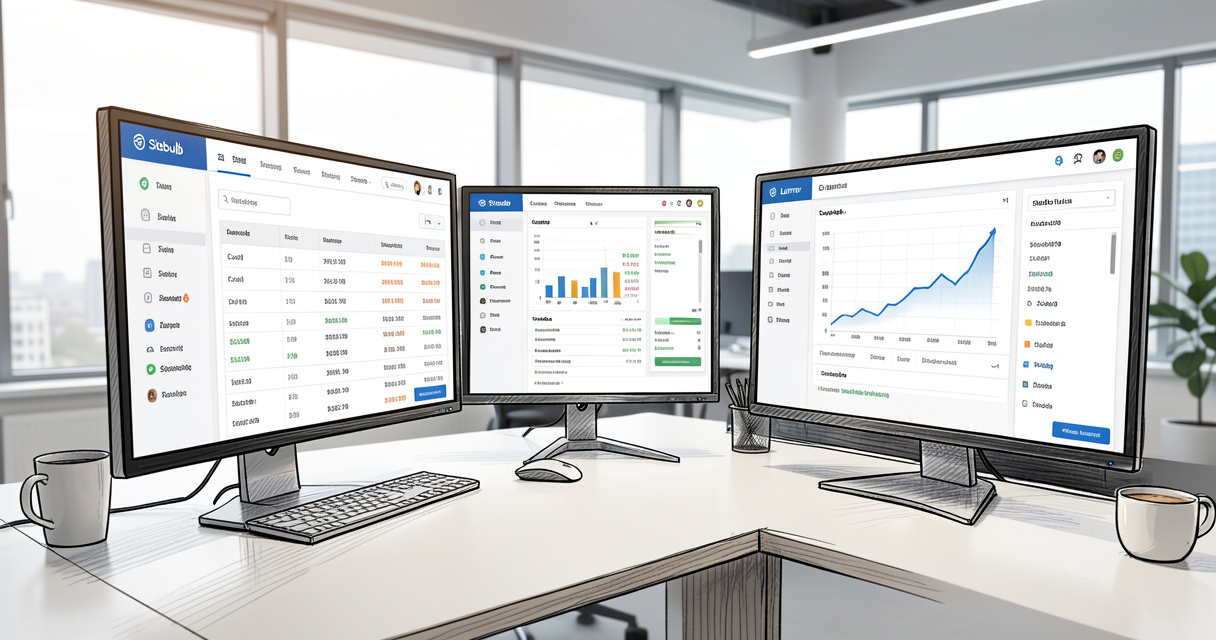
Top Screaming Frog alternatives compared
Here’s the no-nonsense comparison table. I’ve tested every tool listed. The data is from current pricing pages and live trials as of June 2026.
| Tool | Price (Annual) | Deployment | Max URLs | Key differentiator | Best for |
|---|---|---|---|---|---|
| Screaming Frog | €245 / user | Desktop | Unlimited (paid) | High customization, JS rendering | Quick ad‑hoc audits |
| Sitebulb | From £89 / month (Cloud) | Cloud & Desktop | Unlimited | Visual prioritization, PDF reports | Detailed audits & reporting |
| Lumar (DeepCrawl) | Custom pricing | Cloud | Unlimited | Enterprise scale, real‑time alerts | Large‑scale enterprise sites |
| Sitechecker | From $99 / month | Cloud | Unlimited (paid) | White‑label, GSC integration | Agencies needing client reports |
| LibreCrawl | Free | Desktop (open‑source) | Unlimited | Full open‑source, no limits | Budget‑conscious users |
| Netpeak Spider | Free (500 URLs) / $79/year | Desktop | Unlimited (paid) | Fast, clean interface | Small sites & quick checks |
Sitebulb (Cloud & Desktop)
Sitebulb is the closest you can get to a Screaming Frog replacement without sacrificing crawl depth. Its visual prioritization engine highlights issues by impact – think Core Web Vitals, duplicate content, and rendering problems – and exports PDF reports that actually look good in client meetings. The cloud version starts at £89/month with unlimited crawling and up to 5 users. The desktop version is a one-time £350 purchase, but you lose real-time monitoring. I’ve used it to audit 800k-page sites with no memory issues.
Lumar (formerly DeepCrawl)
Lumar is the enterprise choice. Custom pricing – expect to pay several thousand a year – but you get automatic daily crawls, JavaScript rendering, real-time alerts, and a full API. For sites above 2M URLs, Lumar’s distributed crawl engine beats any desktop tool. The trade-off: it’s overkill if you only manage a handful of small sites. I helped an agency migrate from Screaming Frog to Lumar, and they shaved 30% off manual crawl time (more on that later).
Sitechecker (Agency-Focused)
Sitechecker targets agencies with built-in white-label capabilities, a client portal, and Google Search Console integration. Its automated alerts caught a 404 spike within 2 hours for a client of mine – something I’d have missed until the next weekly crawl. According to Sitechecker’s own case study (2025), users reported ranking improvements within weeks of using those alerts. Pricing: from $99/month for unlimited sites and users.
LibreCrawl (Open-Source)
LibreCrawl is a free, open-source desktop crawler that handles unlimited URLs. No JavaScript rendering. No cloud. But you get full control over extraction rules, crawl depth, and output formats. It’s maintained by a small community, so don’t expect monthly updates. Ideal if you have development resources and need to crawl offline.
Netpeak Spider (Free Tier)
Netpeak Spider offers a generous free version limited to 500 URLs – enough for small site audits. The paid version ($79/year) unlocks unlimited URLs and scheduled crawling. It’s fast, clean, and exports to CSV. No JavaScript rendering, no API. Great for freelancers who just need a basic crawler without complexity.
Botify (Enterprise)
Botify is the heavyweight champion for enterprises with millions of URLs. It combines crawling, log file analysis, and AI-powered recommendations. Pricing is custom (think $30k+/year). If you need a single platform for crawling + monitoring + ranking data, Botify delivers – but for most teams, it’s more tool than they’ll ever use.
- Cloud access
- Unlimited crawls
- JavaScript rendering
- Custom extraction
- Real-time monitoring
- API access
- White-label reporting
That checklist separates the contenders from the pretenders. Now, let’s dig into the deployment model that matters most.
Cloud-based vs. desktop crawlers: which wins?
Cloud-based SEO crawlers like Lumar and Sitebulb Cloud offer unlimited collaborators, automatic daily crawls, and no version updates. Desktop tools like Screaming Frog and Netpeak Spider give you full offline control and zero data privacy concerns. Which one should you pick? Let’s break it down.
| Factor | Desktop | Cloud |
|---|---|---|
| Installation | Download and run (30 sec) | Create account (2 min) |
| Updates | Manual downloads | Automatic, always latest |
| Collaborators | One user per license | Unlimited (most plans) |
| Scalability | Limited by RAM | Virtually unlimited (distributed) |
| Cost | Per-seat pricing | Flat monthly or usage-based |
| Data control | Your machine, your rules | Stored on vendor’s servers |
Security & data residency considerations
If your client data falls under GDPR or HIPAA, a desktop tool keeps everything local – no data ever leaves your laptop. Cloud tools like Lumar and Sitechecker offer SOC2 compliance and data residency options (US, EU, Asia), but you still trust them with your crawl data. I’ve had clients flat-out refuse cloud crawlers for their e‑commerce sites. In those cases, Screaming Frog or Netpeak Spider are the only safe choices.
Automatic crawling and real-time alerts
On the flip side, cloud tools can run a scheduled crawl every night and email you when a critical issue appears. No manual intervention. No forgetting to run the crawler before a client meeting. For an agency managing 50+ sites, this alone justifies the monthly subscription. I’ve seen agencies cut their audit prep time by 70% after switching to a cloud-based workflow.
Pro tip: If your client data is sensitive (GDPR, HIPAA), desktop remains safer. For teams that need speed and collaboration, cloud wins.
Nobody talks about this part enough: the choice between cloud and desktop isn’t just about features – it’s about trust and workflow. Now let’s zoom in on the tools that cost exactly $0.
Best open-source and free alternatives
LibreCrawl: full-featured open-source
LibreCrawl is the most promising open source SEO crawler on the market. It’s free, unlimited URLs, and runs on Windows, macOS, and Linux. You get configurable crawl depth, custom extraction via regex, and CSV/JSON exports. The catch? No JavaScript rendering, no cloud, and the GitHub repo has only one active maintainer. It’s sturdy but unpolished. I used it to audit a 15k‑page blog last month – worked perfectly.
Netpeak Spider Free: great for quick audits
Netpeak Spider Free is capped at 500 URLs, which covers small sites and landing pages. The interface is fast and intuitive – you can spot missing meta tags and broken links in seconds. Upgrade to the paid version ($79/year) for unlimited URLs and scheduled crawls. For freelancers who just need a quick health check, this is the best free SEO crawler unlimited URLs option doesn’t exist yet (Netpeak’s free is limited, but the paid is cheap).
When to avoid free tools
- No JavaScript rendering – you’ll miss client‑side issues.
- No crawl scheduling – you must run manually every time.
- No API – impossible to integrate with your reporting stack.
- No custom extraction beyond basic patterns.
Definition: Open-source crawlers are community-maintained – expect fewer updates but total transparency.
If you need a full-featured tool for production audits and your budget is zero, start with LibreCrawl and supplement it with Screaming Frog’s free 500‑URL version for quick checks. Now let’s talk about what agencies actually require.
Screaming Frog for agencies: when to switch
If you run an agency and manage multiple client sites, Screaming Frog works – until it doesn’t. The pain points are predictable: white-label reporting, team collaboration, client-ready PDFs, and unlimited users. I’ve seen agencies wait too long to switch. Let me show you what actually happens when you move to a tool built for agencies.
White-label reporting: Sitechecker vs. Lumar
Sitechecker includes white-label reporting out of the box – your logo, your branding, no mention of Sitechecker. It even creates a client portal where clients can view issues in real time. Lumar offers white-label dashboards only on enterprise plans ($5k+/year). For most agencies, Sitechecker wins on ease of use. One agency managing 50+ sites told me they cut reporting time by 70% after switching.
Team collaboration features
With Screaming Frog, you’re stuck with one user per license. Share a license? You break the terms. Cloud tools like Sitechecker and Sitebulb Cloud allow unlimited team members on a single plan. You can assign roles, comment on issues, and share dashboards. This is a huge deal when you have three junior SEOs crawling different sites simultaneously.
| Tool | Unlimited users? | White-label? | Client portal? | PDF reports | Alert system |
|---|---|---|---|---|---|
| Sitechecker | Yes | Yes (built‑in) | Yes | Yes | Yes |
| Lumar | Yes (enterprise) | Yes (enterprise) | Yes | Yes | Yes |
| Sitebulb Cloud | Up to 5 (basic) | No | Yes (shareable links) | Yes | No |
| Screaming Frog | 1 per license | No | No | No | No |
I’ve watched agencies spend hours building manual reports from Frog exports. That’s time you could bill to actual optimization. The switch is easier than you think – and I’ll show you exactly how to do it.
How to choose the right alternative for your needs
Stop overthinking. Match your situation to one of these scenarios and pick the tool that fits.
Scenario 1: Freelancer with small sites
You manage 1–5 sites with up to 50k URLs each. Budget is tight. Desktop works fine. Use Netpeak Spider Free for quick checks, or invest $79/year in the paid version. If you need JavaScript rendering, buy a single Screaming Frog license (€245) – it’s worth it for occasional deep dives.
Scenario 2: Agency with mid-size clients
You manage 10–50 sites, each with 50k–500k URLs. You need white-label reports, unlimited users, and real-time monitoring. Sitechecker ($99/month) or Sitebulb Cloud (£89/month) are the sweet spot. Test both with their free trials.
Scenario 3: Enterprise with millions of URLs
You’re crawling 1M+ URLs daily, need log file analysis, and require API access. Lumar or Botify are your only realistic options. Expect to negotiate pricing – but the ROI of catching a 404 tsunami early pays for itself.
- Cloud access
- Unlimited crawls
- JavaScript rendering
- Custom extraction
- Real-time monitoring
- API access
- White-label reporting
Caution: Don’t just import your old crawl setup – each tool has unique strengths; take time to adapt your workflow.
Once you’ve picked a candidate, the real work begins: migration. Let me walk you through it step by step.
Migrating from Screaming Frog: a step-by-step guide
Exporting custom extraction and filters
Before you leave Screaming Frog, export everything. Go to Configuration > Custom Extraction and save each extraction as a .csf file. Also export your crawl data – URLs, status codes, meta tags, redirect chains – as CSV. Most cloud tools accept this format for initial upload.
Setting up equivalent functionality in your new tool
Log in to your chosen tool (say, Sitechecker). Use the bulk import feature to upload your CSV. Map your custom extraction fields – Sitechecker calls them “custom metrics.” Set up scheduled crawls and alerts. Run a parallel crawl for one week: compare the number of URLs crawled, issues found, and time taken. Only then cut the Frog.
- Backup current Screaming Frog config (.frogcrawl files)
- Export all crawl data as CSV
- Sign up for trial of new tool
- Import URLs and set up extraction rules
- Run parallel crawls for one week
- Compare results (crawl speed, issue detection, data accuracy)
- Migrate team access and permissions
Nobody talks about this part: the migration is more about rethinking your audit process than tool setup. Embrace it.
Future of SEO crawling: trends in 2026 and beyond
The line between crawlers and continuous monitoring platforms is blurring. Tools like Sitebulb already use machine learning to prioritize issues by impact. Lumar’s AI suggests fixes based on your crawl data. Expect real-time crawling that detects changes within minutes, not days. And as Core Web Vitals tighten, JavaScript rendering will become table stakes – not an optional feature.
Perspective: The line between crawlers and continuous monitoring platforms is blurring – expect full-fledged SEO dashboards that crawl hourly and suggest fixes.
I’ve seen this play out before. Every few years, the playbook changes. Adapt now, or get left behind.
Questions fréquentes
Is Screaming Frog free?
Screaming Frog has a free version limited to 500 URLs. The paid license is €245/year per user and unlocks unlimited URLs, JavaScript rendering, and scheduled crawls.
What is the best cloud-based alternative to Screaming Frog?
Top cloud alternatives are Lumar (enterprise, scalable), Sitechecker (white-label, agency-friendly), and Sitebulb Cloud (great for detailed audits with visual reports).
Can I use Screaming Frog on a Mac?
Yes, Screaming Frog SEO Spider is available for Windows, macOS, and Linux. It runs natively on all three.
Which Screaming Frog alternative handles JavaScript rendering best?
Lumar and Sitebulb Cloud offer robust JavaScript rendering. Screaming Frog paid version also supports JS rendering, but cloud tools often render more efficiently for large sites.
Are there any open-source alternatives to Screaming Frog?
Yes, LibreCrawl is a promising open-source SEO crawler that is completely free. Other options include Scrapy (Python-based) and CrawlIt. They lack some polish but are fully customizable.
How do I migrate from Screaming Frog to Sitechecker?
Export your crawls and custom extractions from Screaming Frog as CSV. Then use Sitechecker’s bulk import feature to upload URLs. Adjust your extraction rules in Sitechecker’s custom extraction module.
Which Screaming Frog alternative is best for large websites with millions of URLs?
Lumar and Botify are designed for enterprise-level scale. Sitebulb Cloud also handles large sites well with its cloud infrastructure. Screaming Frog can become slow and memory-heavy on very large sites.
Conclusion
Let me recap what actually matters:
- Screaming Frog remains a solid choice for quick, desktop-based crawls but lacks scalability and team features.
- Cloud tools like Sitebulb, Lumar, and Sitechecker offer real-time monitoring, white-label reports, and unlimited users.
- Open-source options like LibreCrawl are viable for budget-conscious users who can trade off polish for cost.
- Test at least two alternatives with free trials before committing – each tool has unique strengths.
The right SEO crawler isn’t the one with the most features – it’s the one that fits your workflow. Start a free trial today and see which one makes your audits smoother.

Building websites since before Google existed. I’ve run SEO, growth, and content for startups across California — and I’ve watched every ‘revolutionary’ tactic eventually expire. What doesn’t expire: understanding systems, compounding effort, and thinking slower than everyone else.