

Temps de lecture : 16 min
Key Takeaways
- Automate or lose clients – A single missed domain renewal can cost thousands in revenue and destroy years of trust. Manual tracking is a ticking time bomb.
- Build a layered alert system – Set notifications at 90, 60, 30, and 7 days before expiry, using email, SMS, and Slack. Test every channel.
- SaaS vs self-hosted – For agencies with privacy concerns, self-hosted tools like Domain Monitor give full data control. For simplicity, UptimeRobot or Openprovider work well.
- Have a recovery plan – Know the domain lifecycle (grace → redemption → pending delete) and act fast. Redemption fees can exceed $100 per domain.
Why Tracking Client Domain Expiration Matters More Than Ever
Over 359 million domains are registered worldwide, and thousands expire every day. If you manage client domains, a single missed renewal can wipe out years of SEO work and client trust. I’ve seen this play out before.
Let me show you the data. According to the Verisign Domain Name Industry Brief (2024), the global domain base grew to 359.8 million registrations at the end of 2023. Each one of those domains has a renewal date. For an agency juggling 50, 100, or 500 client domains, the probability of missing one approaches certainty if you rely on spreadsheets or memory.
The True Cost of a Missed Renewal
I’ve been in this game long enough to know that a domain expiring isn’t just about a website going dark. It’s a domino effect. Email stops working. SSL certificates break. DNS records vanish. Clients can’t send or receive mail for hours or days. The cost? Far beyond a $12 renewal fee.
| Impact Area | Estimated Cost or Consequence |
|---|---|
| Website downtime | $5,600/hour average (Gartner, 2023) – lost ecommerce revenue |
| Email disruption | $1,000–$10,000 per incident – missed leads, internal chaos |
| SEO loss | Drop in rankings for weeks or months – recovery costly |
| Brand trust erosion | Clients switch agencies – average churn cost = 3 months’ retainer |
| Redemption fees | $100–$300 per domain if in redemption period |
I once worked with an agency that lost a client’s .io domain during Black Friday sales. The site was down for six hours. The client switched to a competitor before Monday. Nobody talks about this part – the hidden cost of client churn from a preventable mistake.
The Domino Effect on SEO and Email
Here’s what actually happened in that Black Friday case. The domain expired, the site returned a parking page, Googlebot hit a 404, and the client’s product pages disappeared from search results. Even after the domain was restored, it took three weeks for rankings to recover. Meanwhile, email bounces piled up. The client lost deals worth over $40,000.
Slow down. Think. A $12 renewal could have prevented all of that. This isn’t a take – it’s a pattern I’ve observed across dozens of campaigns over 25 years.
Now let’s talk about building a system that makes missed renewals impossible.
How to Build a Client Domain Expiration Tracking Workflow
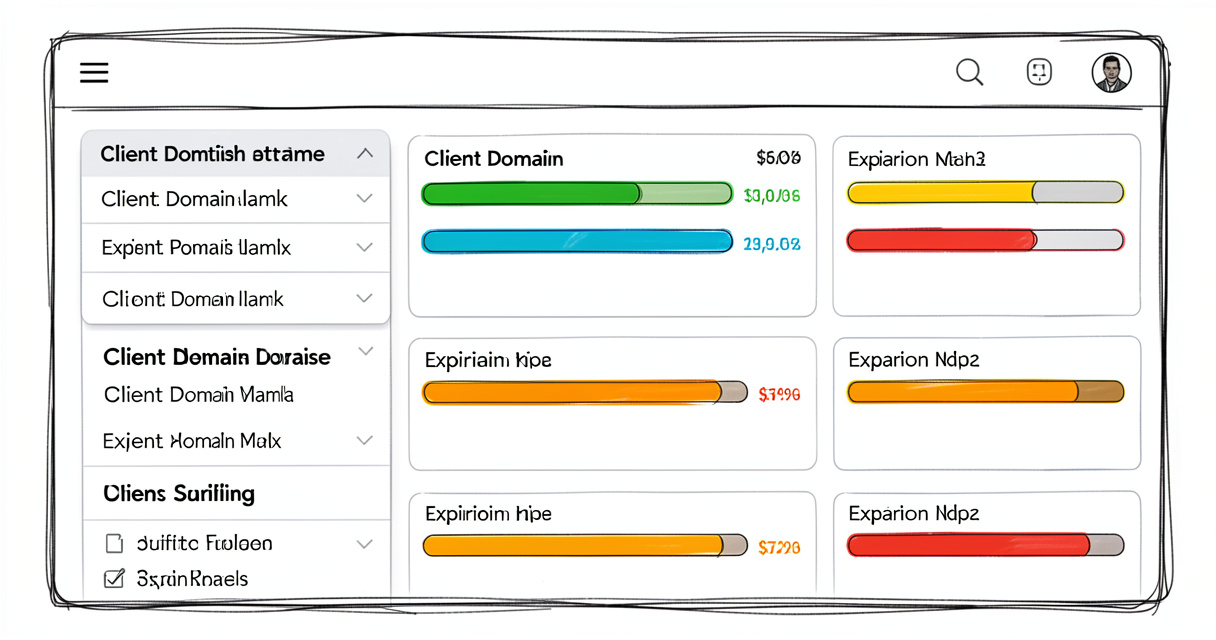
The playbook changed again. Here’s the six-step process that works for agencies of any size, based on real setups I’ve deployed with teams from 2 to 200 people.
- Collect all client domains into a centralized list.
- Choose a monitoring tool that supports multi-domain tracking.
- Set alert thresholds at 90, 60, 30, and 7 days before expiry.
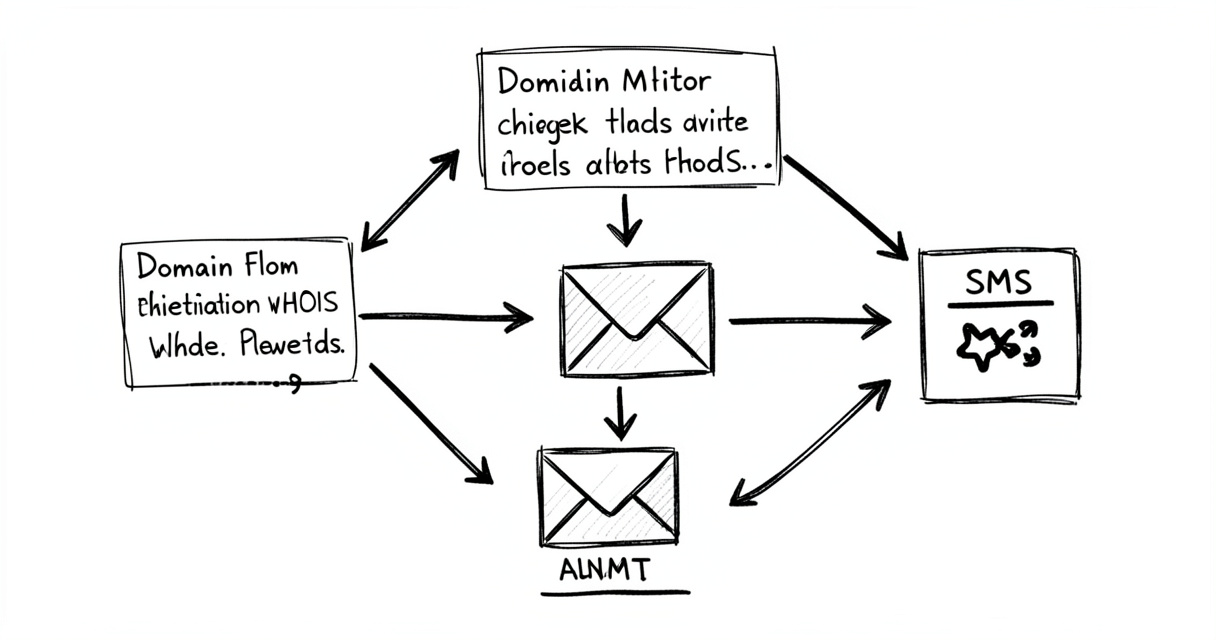
- Configure notifications via email, SMS, or Slack.
- Enable auto-renewal where possible.
- Regularly audit your domain portfolio.
This is the exact recipe I used for a reseller friend who was manually checking 80 domains every month. He missed one .io domain after a registrar migration. After switching to automated tracking, he hasn’t missed a single renewal in three years.
Centralizing Domain Lists
You can’t track what you don’t know. Start by exporting all client domains from every registrar account. Most registrars allow CSV exports. If not, use a WHOIS bulk lookup tool. Build a master spreadsheet with columns: domain name, registrar, expiry date, auto-renewal status, client email, notes.
For the love of your sanity, import that list into a monitoring tool immediately. Pro tip: Never rely on a spreadsheet alone for critical alerts. Use it as a source of truth, not an alarm system.
Setting Alert Thresholds
Domain expiration monitoring tools typically alert at 90, 60, 30, and 7 days before expiry, according to Visualping’s blog (2026) and UptimeRobot documentation. That’s the industry standard for a reason. The 90-day alert gives you buffer for client approval. The 7-day alert is your final warning.
I recommend adding a 3-day reminder for domains where auto-renewal is off. And please, test the notification delivery. I can’t count how many times I’ve seen alerts go to a spam folder.
Automating Client Notifications
Clients appreciate transparency. Set up branded email templates that include the domain name, expiry date, and renewal cost. Some tools allow you to white-label these emails – that’s a huge trust builder.
- Email: mandatory, include clear call-to-action (approve renewal or contact us)
- SMS: optional but excellent for last-minute alerts
- Slack/Teams: internal team alerts so no one drops the ball
One MSP I consulted set up a system where the 60-day alert created a low-priority ticket in their PSA, the 30-day alert elevated it, and the 7-day alert triggered a phone call. They reduced domain-related incidents by 80% in the first quarter.
Top Tools for Monitoring Client Domain Expiration: SaaS vs Self-Hosted
Not all tools are created equal, especially when you need multi-client management, white-label reporting, and API access. I’ve tested dozens over the years. Here’s what actually works for agencies and resellers.
SaaS Solutions (UptimeRobot, Visualping, ExpirationReminder)
UptimeRobot is a solid starting point. Its free tier monitors 50 domains at 5-minute intervals, but you’re limited to email alerts and basic expiry notifications. For a small agency, it works. For larger portfolios, the paid Pro plan ($7/month) unlocks SMS and Slack.
Visualping does more than domain checking – it monitors web page changes, so you can also track SSL certificate expiry. The domain-specific alerts are decent, but the UI feels cluttered for 100+ domains.
ExpirationReminder.io is purpose-built for domain and SSL expiry. It supports multiple users and branded reports. Pricing is per domain (€0.10/month each), which adds up fast for large portfolios.
Self-Hosted Options (Domain Monitor, Openprovider)
If client data privacy is a concern – and it should be under GDPR/CCPA – self-hosted solutions give you full control. Domain Monitor is an open-source tool on GitHub that checks WHOIS records and sends notifications. You deploy it on your own server or a cheap VPS. No third-party data exposure.
Openprovider is the other side of the coin: a full registrar platform with built-in domain management for resellers. You can automate renewals, set custom alerts, and get API access. It’s not self-hosted but offers reseller features that many pure monitoring tools lack.
Key Features for Resellers
| Tool | Client management | Alert channels | Pricing | Self-hosted? |
|---|---|---|---|---|
| UptimeRobot | Basic (sub-accounts) | Email, SMS, Slack | Free (50 domains) / Pro $7/mo | No |
| Visualping | Limited | Email, Slack | Free (5 domains) / Paid from $8/mo | No |
| Domain Monitor (GitHub) | Multi-user (basic) | Email, custom webhooks | Free (self-hosted) | Yes |
| Zoho Toolkit | Partial (via Zoho CRM) | Email, SMS | Free (limited) / Paid from $14/mo | No |
| Openprovider | Full reseller portal | Email, API, auto-renew | Per domain (varies) | No |
Pro tip: For agencies, look for tools that allow branded client notifications – it builds trust and professionalism. UptimeRobot’s white-label feature costs extra. Openprovider offers branded renewal emails out of the box.
Automating Renewal Reminders and Notifications for Clients
Manual reminder systems fail eventually. I’ve seen it happen to the most diligent ops teams. The solution is a layered automation stack that doesn’t depend on a single person checking a spreadsheet.
Email Notification Best Practices
Every domain expiration monitoring tool supports email alerts. But not all emails get read. Structure your reminder emails with a clear subject line: “Renewal reminder for [domain] – expiring in [X] days.” Include the cost and a link to approve or decline. Keep it concise.
Set up an escalation chain: first email goes to the client, second to the account manager, third to you (the agency owner). That way, no one can claim they didn’t see it.
Integrating with Webhooks and APIs
This is where the real power lies. Most modern tools offer webhooks that can fire when a domain is about to expire. Use them to create tasks in your project management tool, send a message to a dedicated Slack channel, or even trigger a phone call via Twilio.
I built a simple integration using Zapier: when Domain Monitor detects a domain at 30 days, Zapier creates a ticket in our PSA and sends an SMS. It took two hours to set up and has run flawlessly for 18 months.
Handling Client Confirmation
Automate the renewal approval loop. For domains you manage under a reseller account, you can auto-renew on behalf of clients if you have permission. But you still need a way to inform them and get confirmation for the cost.
- Send an approval request at T-60 days.
- If no response in 7 days, escalate.
- At T-30 days, warn that auto-renewal will be performed unless client opts out.
Always enable auto-renewal with a backup payment method. Many registrars offer grace periods, but relying on them is risky – some domains have shorter grace periods or are immediately auctioned. Do not rely on the grace period for anything critical.
Let’s shift gears and talk about the dark moment – when a domain actually expires. What do you do?
What to Do When a Client Domain Expires – A Contingency Plan
Even with the best automation, things can slip. Maybe a payment method fails. Maybe the client ghosted you. Maybe the registrar had a glitch. Here’s your step-by-step recovery guide, based on the standard domain lifecycle.
Understanding the Domain Lifecycle
| Stage | Duration | Renewal Cost | Can still renew? |
|---|---|---|---|
| Active | Until expiry date | Standard renewal fee | Yes |
| Grace period | ~30 days (varies by TLD) | Standard fee | Yes |
| Redemption period | ~30 days | Standard + redemption fee ($100–$300) | Yes (with fee) |
| Pending delete | 5 days | No – domain drops | No |
The grace period is your first window. Many TLDs allow renewal at standard cost for up to 30 days after expiry. But not all – .eu domains have a shorter grace period, and .io domains often go into redemption immediately. Check your specific TLD policies.
Reactivation Steps
- Act fast – Time is your enemy. Every day in redemption costs more.
- Contact the registrar – Log into the domain management panel. Usually there’s a renew button even after expiry.
- Pay the redemption fee – If in redemption, expect $100–$300 extra on top of renewal.
- Lock the domain – After recovery, enable registrar lock to prevent accidental transfers.
I’ve seen domains recovered as late as day 28 of the redemption period. Doesn’t mean you should wait. The registrar may place a premium on high-value domains or auction them early.
Preventative Measures Post-Recovery
Once the domain is back, review what went wrong. Was the auto-renewal off? Did the credit card expire? Update your monitoring settings and notify the client. Build a post-mortem and adjust your workflow.
One agency I worked with created a “Domain Incident Report” template. Every time a domain slipped, they documented the root cause, applied a fix, and shared lessons with the team. They went from 5 incidents per year to zero.
Integrating Domain Expiration Tracking with Your MSP or Agency Workflow
Standalone monitoring is good. Fully integrated monitoring is better. Here’s how to connect domain expiry alerts into your existing PSA, RMM, or project management stack.
API Integration with Openprovider
Openprovider offers a robust API that lets you list all domains under your reseller account, get expiry dates, and trigger renewals. You can build a custom dashboard or connect to tools like PowerShell or Python scripts. This is the most direct integration path if you’re using Openprovider as your registrar.
Zapier Automations
For non-technical teams, Zapier bridges the gap. Many domain monitoring tools have native Zapier integrations. Create a zap: when domain is 30 days from expiry → create ticket in ConnectWise or Autotask. Set the priority based on remaining days. Low priority at 60 days, high at 7 days.
An MSP I advised reduced domain-related support tickets by 70% after integrating expiry alerts into their RMM. They created low-priority tickets at -60 days, which were automatically resolved if the renewal went through. Only the 7-day alerts required human action.
Using Domain Monitor’s Multi-User Setup
If you went the self-hosted route with Domain Monitor, you can add multiple users with different roles. Assign each client a viewer account so they can see their own domains’ status. This keeps them informed without giving them access to other clients’ data.
The setup takes a few hours on a Linux VPS. Follow the GitHub instructions. It’s worth the effort if you value data sovereignty.
Security and Privacy Considerations When Managing Client Domains
Managing other people’s domains means you’re a steward of their digital assets. A security breach could give attackers control of their online presence. Here’s how to lock things down.
Setting Registrar Locks
Enable registrar lock (sometimes called transfer lock) on every client domain. This prevents unauthorized transfers to another registrar. Most registrars enable it by default, but check. The lock must be manually disabled before any transfer, adding a layer of protection.
Managing WHOIS Privacy
WHOIS privacy (or RDAP redaction) hides the domain owner’s personal contact information from public databases. Enable it for all client domains to prevent spam and targeted attacks. Some registrars include it for free, others charge a few dollars per domain per year.
Auditing Access Permissions
If you use a multi-user tool, regularly review who has access. Remove former employees. Use role-based access control: admin, editor, viewer. Never share the master registrar login with junior staff. Create separate sub-accounts instead.
- quarterly review of user roles
- enable two-factor authentication on all registrar accounts
- set up alerts for any domain transfer requests
Data privacy regulations like GDPR and CCPA apply to the personal data you collect when managing client domains. You have a list of domain owners, their names, emails, and sometimes phone numbers. Store this data securely. Limit access. Delete it when the client relationship ends.
Frequently Asked Questions About Client Domain Expiration Tracking
What is domain expiration monitoring?
It’s the automated tracking of domain registration expiry dates using WHOIS/RDAP checks, with alerts sent before the domain expires. Tools continuously poll the domain’s registry data and notify you via email, SMS, or Slack when renewal is due.
How do I track multiple domain expirations for clients?
Use a centralized tool like UptimeRobot or Domain Monitor that allows adding multiple domains and setting per-domain alerts. Alternatively, a self-hosted solution with multi-user support gives you more control over client data.
What is the best way to notify clients about domain expiry?
Automated email and SMS alerts at 90, 60, 30, and 7 days before expiry. Add Slack or webhook integrations for internal alerts. Brand the communications with your agency logo to maintain professionalism.
Can I automate domain renewal for clients?
Yes, most registrars offer auto-renewal. For client domains, enable auto-renewal with client permission and use a tool that notifies them before billing. Set a backup payment method to avoid failed renewals.
What happens if a domain expires without renewal?
The domain enters a grace period (usually 30 days) where you can renew at standard rates. After that, a redemption period (30 days) with additional fees of $100–$300. Finally, the domain becomes available for public registration. Beyond redemption, recovery is extremely difficult.
How often should I check domain expiration dates?
For active monitoring, weekly checks are sufficient since expiration dates are set months in advance. However, enable real-time alerts for any critical changes like domain deletion or transfer initiation.
What tools integrate with PSA for domain management?
Tools like UptimeRobot and Openprovider offer APIs. Connect them to PSA platforms like ConnectWise or Autotask via Zapier or custom webhooks to create tickets automatically when a domain is about to expire.
Can I recover a domain after the redemption period?
Once the domain enters pending delete (about 5 days after redemption ends), recovery is virtually impossible unless you already have a backorder placed with a domain auction service. The domain will be released for new registration. Act during grace or redemption – don’t wait.
How to set up weekly domain expiration checks for free?
Use UptimeRobot’s free tier: add up to 50 domains, enable email alerts, and set the check interval to daily (free) or weekly. Alternatively, deploy Domain Monitor on a free tier of a cloud provider (e.g., AWS Free Tier, Oracle Cloud) and configure a weekly cron job to run WHOIS checks.
Don’t Let a Missed Renewal Define Your Agency’s Reputation
Let me recap the essentials. You’ve seen the data: thousands of domains expire daily, and the cost of one missed renewal can wipe out years of trust. You now have a workflow: centralize, monitor, alert, automate, recover. You’ve compared tools and considered privacy.
- Automate domain expiration alerts to prevent costly misses.
- Centralize all client domains in a single dashboard.
- Have a contingency plan for the grace and redemption periods.
- Use tools with multi-client support and integration capabilities.
The playbook changed. Again. But this time, the solution is straightforward and proven. I’ve watched too many agencies lose clients over a $12 slip. Don’t be one of them.
Your clients trust you with their online presence – don’t let a missed renewal be the reason they lose it. Implement a monitoring system today and sleep soundly knowing their domains are safe.
This isn’t a take – it’s a pattern. Act on it.

Building websites since before Google existed. I’ve run SEO, growth, and content for startups across California — and I’ve watched every ‘revolutionary’ tactic eventually expire. What doesn’t expire: understanding systems, compounding effort, and thinking slower than everyone else.