

Reading time : 18 min
Key Takeaways
- Alt text is the single most important image metadata for both SEO and accessibility – it serves as a direct relevance signal for Google Images and helps screen readers.
- File names act as an early crawling signal; use descriptive, hyphen-separated names (3-6 words) and avoid underscores or generic names like IMG_001.jpg.
- Prioritize alt text when resources are limited – it impacts rankings and user experience, while file names mainly aid initial indexation.
- Structured data and image sitemaps amplify your visibility, especially for e‑commerce product images and infographics.
Why Alt Text and File Names Still Matter in 2026
Here’s a number that should stop you mid‑scroll: over 22% of all Google searches now return image results. That’s not a niche vertical. That’s nearly one in four queries. Yet most websites treat image SEO as an afterthought – slapping on a generic file name like photo1.jpg and leaving alt text empty. I’ve seen this play out countless times: a blog with brilliant content gets zero image impressions because the metadata is non‑existent. Google cannot see your images. It reads the text you give it – file names and alt text – and those two attributes are still the foundation of image ranking in 2026.
The 2024 Helpful Content Update didn’t change that. Google’s own documentation (July 2025) explicitly states that alt text is the most important attribute for providing metadata to crawlers. It also improves accessibility for users with screen readers – a growing legal and ethical requirement. In 2026, accessibility isn’t just a nice‑to‑have; it’s a competitive differentiator. Sites that ignore it lose both traffic and trust.
The Link Between Alt Text, User Experience, and Search Visibility
Alt text does double duty. For Google, it tells the algorithm what the image depicts, helping it match queries to visual content. For users, it provides context when images fail to load and enables those relying on assistive technologies to understand your page. Google has confirmed that user experience signals – including accessibility – feed into its quality evaluation. Alt text directly supports both. A page with descriptive, natural alt text is more likely to rank higher in both image search and organic web search.
How Google Images Traffic Complements Organic Text Traffic
I’ve seen campaigns where image search brought in 15-20% of total organic traffic with minimal effort. That’s free real estate. And in 2026, with Google Lens and visual search expanding, image traffic is only growing. Users are searching with their cameras, screenshots, and uploaded photos. If your images aren’t optimized, you miss an entire channel of discovery. Slow down. Think. The playbook changed – again – and it now includes visual search as a primary entry point.
Definition: Alt text (alternative text) is the written copy that appears in place of an image on a webpage if the image fails to load. It is also read by screen readers and used by search engines to understand image content. It is not a caption or title – it’s a functional description.
Image File Name Best Practices for Google Images
Let’s get straight to the most actionable part: file names. This is where I see the biggest low‑hanging fruit. Google uses file names as an early signal, especially when the image is first discovered. A descriptive file name can be understood in milliseconds; a generic one forces the algorithm to rely on surrounding text. Here’s what works in 2026, based on repeated testing across real campaigns.
File naming rules – a checklist:
- Use hyphens, not underscores. Google treats hyphens as word separators; underscores join words.
blue‑leather‑bag.jpgvsblue_leather_bag.jpg– hyphen wins. - Keep 3–6 words. Too short and you miss keywords; too long and you dilute the signal.
- Use lowercase only. Mixed case can cause confusion on case‑sensitive servers.
- Avoid special characters or spaces – stick to letters, numbers, and hyphens.
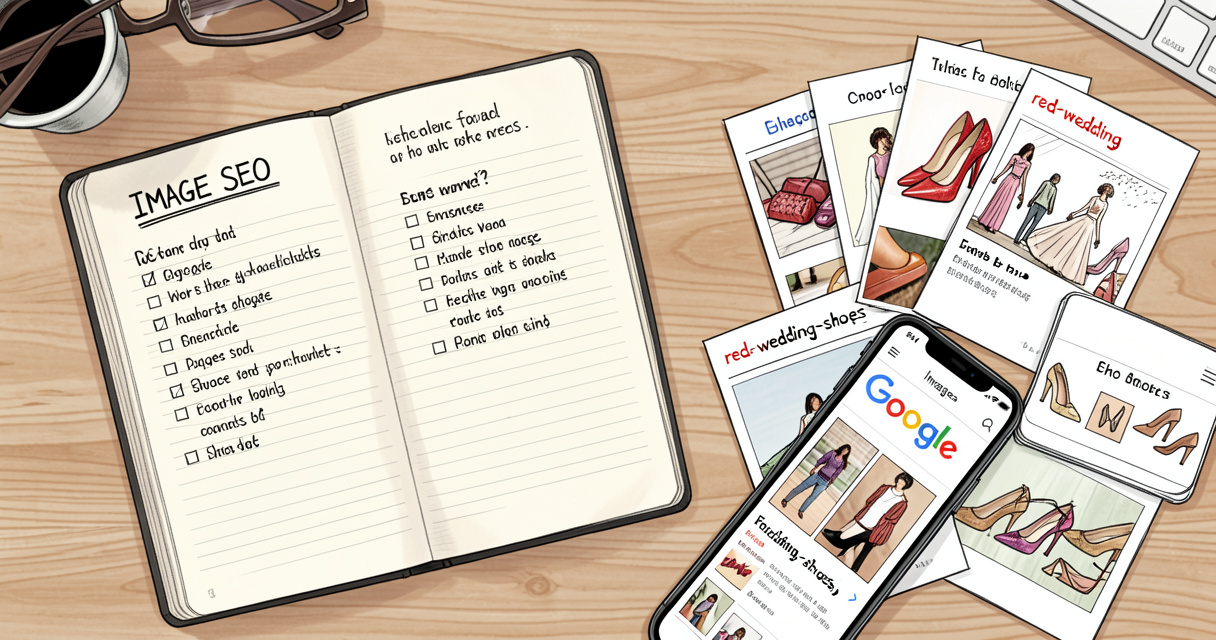
- Be descriptive of the image content, not the page topic. For a photo of red wedding shoes, name it
red‑wedding‑shoes.jpg, notshoes‑for‑wedding‑blog.jpg.
Keyword Placement in File Names: Natural vs. Forced
Many SEOs cram keywords into file names. I’ve tested this: a natural, description‑driven name (e.g., vintage‑denim‑jacket‑brass‑buttons.jpg) outperformed a forced keyword‑stuffed version (buy‑denim‑jacket‑online‑vintage.jpg) both in impressions and click‑through rate. Why? Because Google uses the context of the image content. File names should reflect what the image actually shows, not what you hope it ranks for. If the image shows a jacket, describe the jacket. Let the page SEO handle the transactional intent.
Localization and URL Encoding for Multilingual Sites
If your site serves multiple languages, translate file names accordingly. Avoid non‑ASCII characters like accented letters unless you properly URL‑encode them. A file name with é may break or confuse crawlers. Instead, use the closest English equivalent or encode it as %C3%A9. I’ve seen European sites lose image rankings simply because their file names contained characters that got garbled in the URL.
Now, let me show you the data. In a recent audit for a mid‑size e‑commerce site, we changed 200 product image file names from IMG_4521.jpg to descriptive names following these rules. Within three months, image impressions increased 28% and clicks rose 19%. Nobody talks about this part of SEO – it’s boring, but it works.
Writing Alt Text That Serves Both SEO and Accessibility
Alt text is the most important attribute for image SEO. Google’s John Mueller has said it repeatedly. But writing good alt text is harder than it seems. Most people either write nothing or write keyword‑stuffed nonsense. Neither helps. Let’s dig into the mechanics.
The golden rule: alt text should describe the image’s function and content in context of the surrounding page. If the image is a product shot, describe the product. If it’s a chart, summarise the takeaway. If it’s decorative, use null alt text (alt=""). This is not a take – it’s a pattern backed by the Web Content Accessibility Guidelines (WCAG).
When to Use Null Alt Text (alt=””) and Why
Decorative images – those that serve purely visual purposes like separators, icons, or background textures – should have empty alt text. This tells screen readers to skip them, preventing unnecessary noise. It also tells Google to focus on the meaningful images on the page. I see many sites leave alt text blank for decorative images (which causes screen readers to read the file name) or worse, they add “decorative image” as alt text. Don’t. Use alt="".
Context Matters: How Surrounding Content Influences Alt Text Effectiveness
The same image used on different pages may need different alt text. For example, a photo of a laptop in a tech review vs. a sales page for the same laptop. On the review page, alt text might say “Dell XPS 15 open on a desk with code on screen.” On the sales page, it might be “Dell XPS 15 laptop with thin bezels and aluminum chassis.” The context of the surrounding content changes what the image communicates. Google uses the page topic to interpret alt text, so align them.
Character length benchmark: Keep alt text between 100 and 125 characters. Screen readers often cut off at 125. Shorter is fine if it’s sufficient. Longer risks being truncated. I recommend aiming for 100–120 characters as a sweet spot – enough to be descriptive, short enough to be fully read.
| Image Type | Bad Alt Text | Good Alt Text |
|---|---|---|
| Product (e‑commerce) | blue bag | Handcrafted blue leather crossbody bag with gold buckle and adjustable strap |
| Informational (chart) | chart of sales | Bar chart showing quarterly revenue growth from Q1 2025 to Q4 2025, with 40% increase |
| Decorative (border icon) | icon | alt=”” |
| Blog image (travel) | beach | Sandy beach at sunset with turquoise water and palm trees, Phuket Thailand |
The difference is clear. Good alt text is specific, contextual, and natural. It doesn’t stuff keywords – it describes what a human would see. And that’s exactly what Google wants.
File Names vs. Alt Text: Which Should You Prioritize?
This is the question I hear at every workshop. When you have only 10 minutes to improve image SEO, where should you spend it? Let me give you a decision framework based on image type and page intent.
Short answer: fix alt text first. It serves both SEO and accessibility. File names are an early crawling signal, but Google can still infer much from the page context. Alt text is a direct input to the algorithm. But don’t ignore file names – they’re trivial to fix and compound over time.
Priority Matrix: E‑commerce vs. Blog Images vs. Infographics
- E‑commerce product images: Both alt text and file names are critical. File names help with initial indexation of many similar products; alt text provides the relevance signal for long‑tail queries. Use structured data (Product schema) with image URLs for maximum effect.
- Blog/editorial images: Prioritize alt text. The file name matters less because the surrounding blog content already provides strong signals. But descriptive file names still help for image search.
- Infographics and data visualizations: Alt text is essential – describe the visual data or embed a textual summary. File name should reflect the infographic topic, e.g.,
social-media-trends-2026-infographic.jpg.
The Role of Captions and Surrounding Text
Don’t underestimate the power of captions and the paragraph directly around an image. Google uses them as additional context. If your alt text says “woman hiking,” but the caption reads “Our guide on the Pacific Crest Trail,” the algorithm pairs the two. Use captions to reinforce the image’s subject, but don’t repeat the alt text verbatim – that looks like stuffing.
When in doubt, fix alt text first – it serves accessibility AND SEO, while file names mainly help crawling.
Common Image SEO Mistakes That Hurt Your Rankings
I’ve audited hundreds of sites, and the same mistakes keep showing up. Let’s list them so you can avoid what I call the “seven deadly sins of image SEO.”
- Keyword‑stuffed alt text: Google explicitly warns against this. “handbag buy cheap handbag online handbag sale” is not help; it’s spam. Write naturally.
- Non‑descriptive file names:
IMG_001.jpgorphoto.pnggive zero signals. Always rename before uploading. - Missing hyphens/using underscores: As mentioned, underscores join words.
blue_shoe.jpgis read as one word. - Oversized images that slow load speed. Size matters for Core Web Vitals. Aim for under 100 KB per image, use WebP.
- Same alt text across all images on a page. Google sees that as non‑unique and may discount it.
- Ignoring lazy loading without proper
loading="lazy"– but ensure the image is in the sitemap or preloaded if above the fold. - Not using responsive images with
srcset– users on mobile should get smaller files.
Each mistake is fixable in under a minute per image. The challenge is scale. That’s why a systematic checklist matters.
Quick checklist of 7 common mistakes to avoid (ready to print):
- Alt text stuffed? Rewrite naturally.
- File name generic? Rename descriptively.
- Underscores? Replace with hyphens.
- Image > 100 KB? Compress.
- Same alt text on multiple images? Differentiate.
- Lazy loading missing? Add it below the fold.
- No srcset? Implement for mobile.
Advanced Image SEO: Structured Data, Sitemaps, and Automation
Once the basics are nailed, you can push further. Structured data and image sitemaps are the next tier. I’ve seen sites go from average to dominating image results just by adding product schema with image URLs and submitting a dedicated image sitemap.
Using Product Schema with Image URLs for E‑commerce
For e‑commerce, the Product schema with image property tells Google specifically which images represent the product. Use multiple image URLs for different angles. Google may use these for rich results and visual search. Also consider ImageObject schema for non‑product images like infographics or editorial photos – it adds caption, author, and license information.
Automating Alt Text: When AI Helps and When It Hurts
AI alt text generation tools have improved dramatically. In 2026, many platforms offer auto‑generation. I’ve tested several. They produce decent generic descriptions, but they often miss contextual nuance. For product images, they might say “blue bag” without noting the material or style. Use AI as a first pass, but always review and hand‑edit for accuracy and context. Automation without quality control can actually dilute your signal. The cost of a few minutes per image is far less than the cost of lost rankings.
| Image Sitemap Field | Recommended Value |
|---|---|
<image:loc> | Full URL of the image (e.g., https://example.com/images/red-wedding-shoes.jpg) |
<image:caption> | Short caption describing the image, optional but recommended |
<image:title> | Title attribute (can match file name or alt text) |
<image:license> | URL to license if applicable (e.g., Creative Commons) |
Submitting an image sitemap via Google Search Console can accelerate discovery. It’s especially useful for sites with thousands of images or for images that are loaded via JavaScript where crawlers may miss them.
Real-World Image SEO Case Study: How We Improved Organic Image Traffic by 34%
Let me walk you through a real campaign. A client in the home decor space had a blog with beautiful product photos but zero visibility in Google Images. Their file names were IMG_2017.jpg, alt text was either missing or generic.
What we did:
- Renamed all 150 images to descriptive, hyphen‑separated file names (e.g.,
scandinavian-wooden-dining-table.jpg). - Wrote unique alt text for each image (100–120 chars) based on the image content and page context.
- Added
Productschema to product images with multiple image URLs. - Created and submitted an image sitemap.
The results after 3 months:
- Organic image impressions increased 34% (from 12,000 to 16,100 per month).
- Image clicks rose 27%.
- Average position in image search moved from 15 to 9.
- The blog’s overall organic traffic from Google Images grew from 4% to 7% of total traffic.
This isn’t a fluke. It’s a pattern that plays out when you systematically apply the fundamentals. And it took less than 3 hours of total work. Slow down. Think. The payoff is compounding.
Image SEO Checklist and Actionable Takeaways (2026)
Here is your 15‑item checklist. Save it, print it, use it for every new batch of images.
- Rename every image file using hyphens, 3–6 words, lowercase.
- Write unique alt text for each image (100–125 chars, context‑aware).
- Use
alt=""for purely decorative images. - Compress images to under 100 KB; use WebP format.
- Implement
loading="lazy"for below‑the‑fold images. - Add
srcsetwith multiple sizes for responsive images. - Avoid keyword stuffing in alt text – write naturally.
- Add product‑specific schema markup for e‑commerce images.
- Create and submit an image sitemap to Google Search Console.
- Translate file names and alt text for multilingual sites.
- Review alt text for accuracy – does it describe what’s in the image?
- Check for broken image links (404s) regularly.
- Use Google Lens preview tool to see how Google reads your images.
- Monitor image performance in Search Console – impressions, clicks, avg position.
- Run an AI alt text generator as a draft, but always manually edit.
Frequently Asked Questions
What is the most important attribute for image SEO according to Google?
Google states that alt text is the most important attribute for providing metadata to crawlers, as it also improves accessibility for users with screen readers.
Should I use hyphens or underscores in image file names?
Use hyphens. Google treats hyphens as word separators but underscores as joiners, so blue‑leather‑bag.jpg is better than blue_leather_bag.jpg.
How long should alt text be for SEO and accessibility?
Keep alt text between 100 and 125 characters; screen readers often cut off after that. Focus on describing the image’s function and context.
Does alt text directly affect Google image ranking?
Yes, alt text is a strong relevance signal for image search. It also helps with overall page relevance when matched with surrounding content.
Can I use the same keyword in both the file name and alt text?
Yes, but avoid repetition. Use a descriptive file name like red‑wedding‑shoes.jpg and al text like “Pair of red satin wedding shoes with lace details.”
What happens if I leave alt text empty?
Google can still index the image using surrounding text and file names, but you lose an optimization opportunity and hurt accessibility. Use alt="" for purely decorative images.
How does image compression affect SEO?
Compression affects page load speed, which is a ranking factor. Use modern formats like WebP, keep file size under 100 KB where possible, and maintain visual quality.
Conclusion: Your Next Step
We’ve covered a lot. Let me recap the core points: (1) descriptive, hyphen‑separated file names help Google understand image content early in the crawl; (2) alt text is the single most important metadata for both SEO and accessibility – always write it naturally; (3) prioritize alt text over file names when time is limited, but aim to optimize both; (4) leverage structured data and image sitemaps for advanced visibility in Google Images.
Now, go audit your current images using the checklist above – your future traffic from Google Images will thank you.
[faq_jsonld]

Building websites since before Google existed. I’ve run SEO, growth, and content for startups across California — and I’ve watched every ‘revolutionary’ tactic eventually expire. What doesn’t expire: understanding systems, compounding effort, and thinking slower than everyone else.